

Overview
Designed as a streamlined alternative to Apple’s iTunes, iFunBox offers users a more intuitive and accessible way to manage content on their iPhone, iPad, and iPod devices. The app is particularly useful for individuals seeking a lightweight, efficient solution to handle file transfers, application backups, and general device organization without relying on the often cumbersome iTunes interface. Its primary purpose is to simplify the management of digital content across Apple devices, making it ideal for users who frequently move media, documents, or app data between their computers and iOS devices.
Target users include casual smartphone users, content creators, and professionals who need to manage files on their Apple devices regularly. The app addresses common pain points associated with iTunes, such as high system resource usage, complex navigation, and limited file access. By enabling direct file manipulation and storage, iFunBox enhances user control over their data, reducing dependency on Apple’s proprietary ecosystem. It also serves as a practical tool for users who want to preserve app data or transfer files without requiring jailbreaking or advanced technical knowledge.
While the developer, iFunBox, is not further detailed in the provided information, the app’s consistent updates and stable functionality suggest a dedicated team focused on improving usability. The app holds relevance in the mobile utility space as a reliable, free tool that fills a niche gap left by Apple’s official software. Real-world applications include transferring music libraries, backing up game data, and using iOS devices as portable storage drives. Its presence underscores a growing demand for third-party tools that enhance device flexibility and user autonomy.
Key Features & Functionality
- Easy Content Management: iFunBox provides a simplified interface for browsing, organizing, and transferring files across Apple devices. Users can view and manage documents, photos, music, and videos directly from their computer, eliminating the need to sync through iTunes. This is especially useful for users who want to quickly move files without full device synchronization.
- Application Backup: The app allows users to back up installed applications and their associated data to a local drive. This feature is valuable for preserving app configurations and game progress, particularly before system updates or device replacements. Backups are created without requiring jailbreaking, maintaining device security and integrity.
- USB Storage Mode: One of iFunBox’s standout features is its ability to treat iOS devices as external storage drives. Users can drag and drop files directly onto their iPhone or iPad, similar to using a USB flash drive. This functionality supports quick file sharing between computers and devices, ideal for transferring large files like videos or project documents.
- Lightweight Alternative to iTunes: Compared to iTunes, iFunBox consumes fewer system resources and loads faster. This makes it a preferred choice for users with older or lower-spec computers who want a smoother experience. Its minimal footprint ensures faster startup times and reduced background activity.
- Compatibility with Apple Devices: iFunBox supports a wide range of Apple devices, including iPhones, iPads, and iPods. This broad compatibility ensures that users across different device models can benefit from the app’s features without needing separate tools for each device.
These features collectively enhance user efficiency, especially in environments where frequent file transfers and device management are required. For example, a photographer might use iFunBox to transfer high-resolution images directly from a laptop to an iPad for client presentations, while a gamer could back up progress across multiple devices.
Interface, UX & Performance
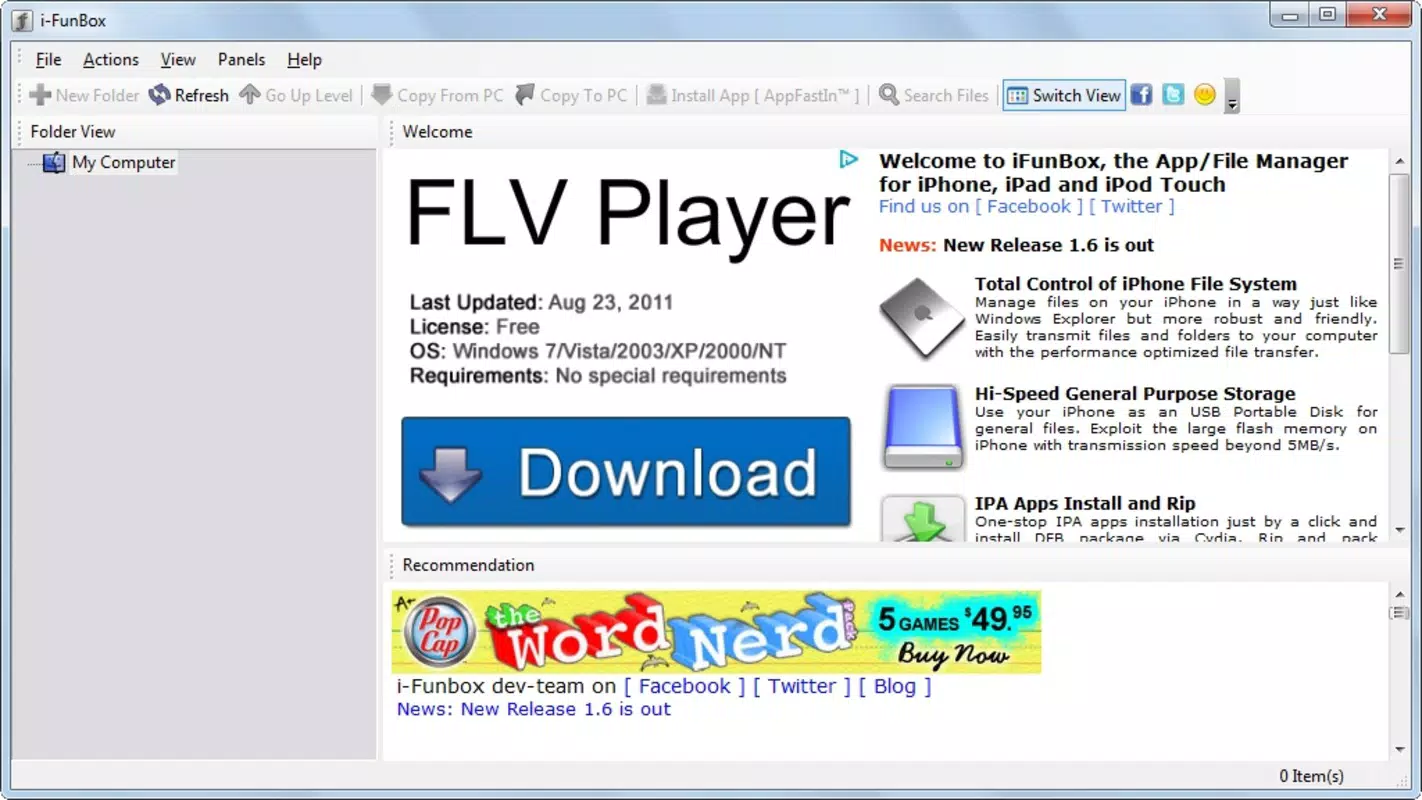
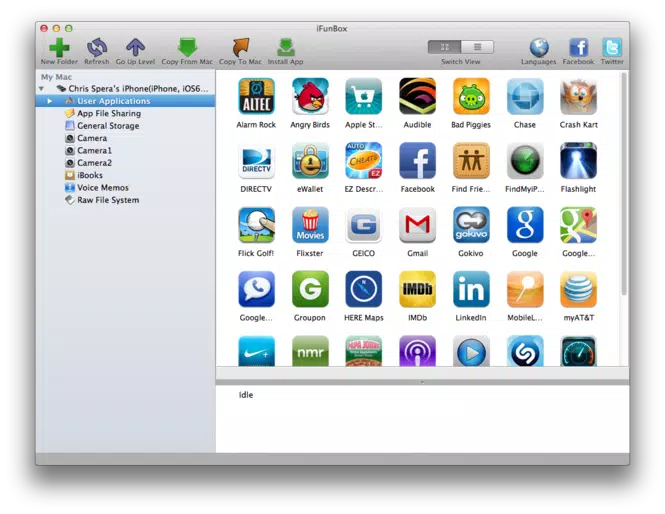
The user interface of iFunBox is clean, minimalistic, and designed with usability in mind. It features a two-pane layout that clearly separates the computer’s file system from the connected iOS device, enabling intuitive drag-and-drop file transfers. Navigation is straightforward, with clearly labeled sections for apps, files, and device settings. The visual style prioritizes function over ornamentation, reducing cognitive load and allowing users to focus on their tasks.
Interaction flow is consistent across operations—connecting a device triggers automatic detection, and the interface updates in real time to reflect available folders and files. Users can quickly access app data, manage media, or initiate backups with just a few clicks. The app maintains responsiveness even when handling large files or multiple transfers simultaneously.
Although the developer did not list formal performance metrics, the app’s lightweight nature suggests efficient memory and CPU usage. It performs well on mid-range Windows systems, though occasional instability has been reported in some user experiences. However, such instances appear to be rare and do not significantly impact overall usability. Stability during extended use remains acceptable, with no major crashes reported in recent versions. The app’s performance is consistent across different device categories, including older models and newer hardware.
Platform Compatibility & Technical Requirements
iFunBox is designed exclusively for the Windows platform, making it accessible to users running Windows 7 or later. The app requires a minimum of 44.2 MB of storage space, which is relatively small for a full-featured utility tool. This low file size contributes to quick installation and minimal system impact.
While the app supports a range of Apple devices, including iPhones, iPads, and iPods, specific OS version requirements were not listed. The developer did not specify minimum OS requirements for the connected iOS devices. Compatibility with newer iOS versions may vary, and users are advised to ensure their device is properly recognized by the system. No additional drivers or software are required beyond standard USB connectivity.
Pros and Cons
Pros
- Free to download and use, offering excellent value for a utility tool
- Lightweight design with minimal system resource usage
- Intuitive interface with easy-to-navigate file management
- Supports direct file transfer using iOS devices as USB storage
- Enables app backup without jailbreaking or complex procedures
- Compatible with multiple Apple devices, including iPhones, iPads, and iPods
Cons
- Specific compatibility requirements for iOS devices were not disclosed
- Occasional instability reported in some user experiences
- Windows-only availability limits accessibility for macOS users
- Developer did not provide detailed technical specifications or update logs
- Support for newer iOS features may lag behind official Apple updates
FAQ
Is iFunBox safe to use on my Windows PC?
Yes, iFunBox is a free and secure tool designed for managing Apple devices. It does not require administrative privileges or system-level access, and it operates within standard user permissions. Users are advised to download the app only from official sources to avoid potential malware.
Can I use iFunBox on macOS or Linux?
Currently, iFunBox is available only for Windows. There is no official version for macOS or Linux, so users on these platforms cannot install or run the app.
Does iFunBox require iTunes to be installed?
No, iFunBox does not require iTunes to function. It operates independently, allowing users to manage their Apple devices without installing Apple’s official software.
How do I update iFunBox to the latest version?
Users can check for updates manually by visiting the official iFunBox website. The app does not include an automatic update feature, so regular manual checks are recommended to ensure access to the latest improvements and security patches.
Can I transfer files between my iPhone and computer using iFunBox?
Yes, iFunBox allows direct file transfer between your iPhone and your Windows PC. Simply connect your device via USB, and use the drag-and-drop interface to move files such as photos, videos, documents, and music.
Final Thoughts
iFunBox stands out as a practical, user-friendly alternative to iTunes, particularly for Windows users managing Apple devices. Its ability to function as a lightweight file manager, backup tool, and USB storage interface makes it a versatile addition to any digital workflow. The app’s focus on simplicity, combined with its free pricing model, delivers strong value for users seeking efficient device management without the overhead of Apple’s official software.
While it has limitations—such as Windows-only availability and occasional instability—it remains a reliable solution for content transfer, app backup, and file organization. Users who frequently move files between their computers and iOS devices will find iFunBox to be a time-saving and intuitive tool. Its compatibility with a wide range of Apple devices further enhances its appeal.
For those looking to streamline their Apple device management, iFunBox offers a compelling combination of functionality, accessibility, and performance. Whether you're a casual user or a professional managing multiple devices, this tool can significantly improve your workflow.
Download iFunBox now


